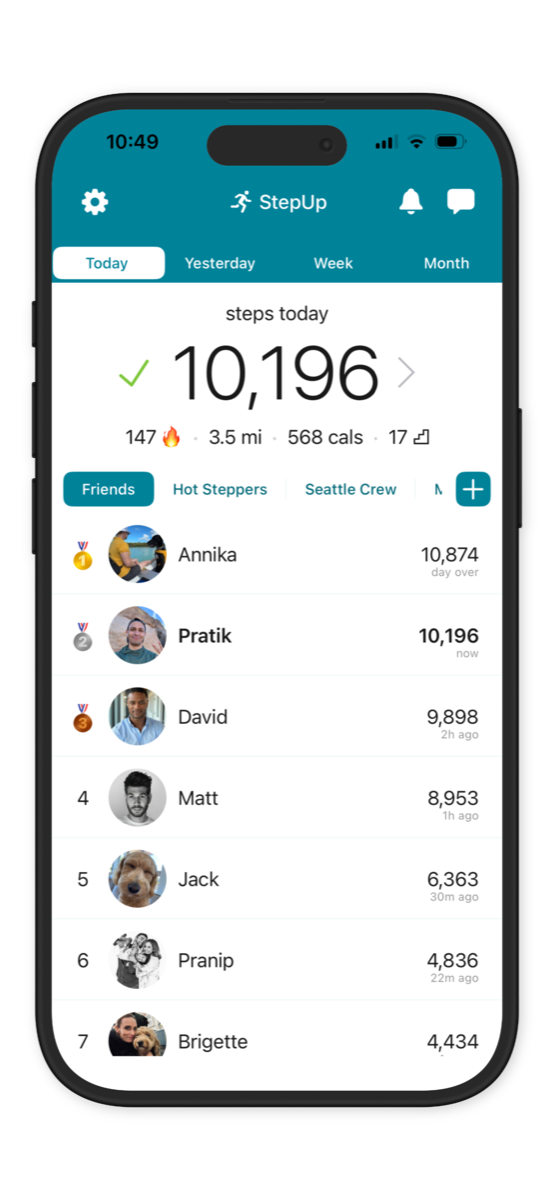
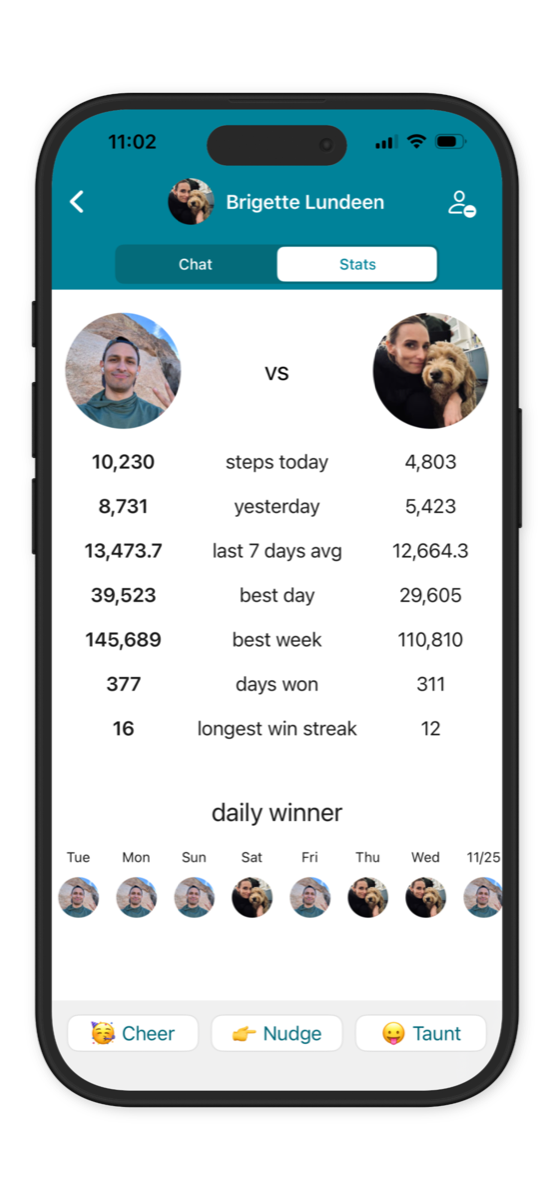
StepUp App Friends Leaderboard StepUp App Friend Stats Head to Head Screen

Track your steps
Compete with friendscolleaguesfamilyteammatescommunityclassmates
Be more active together

Download on the App Store
★★★★★ 4.8 · 101K ratings
Get it on Google Play
★★★★★ 4.7 · 29K reviews

Make fitness fun & social

★★★★★
"FREE, simple, elegant, fun & motivating!"

★★★★★
"Easy to start a free office step challenge! 🏃🏃‍♀️"

★★★★★
"Competing with friends is so fun & addictive"

★★★★★
"Motivates me to walk more. I've lost 5 lbs!"

★★★★★
"Works with iPhone, Android & wearables! 🙌"

StepUp App Friend Stats Head to Head Screen
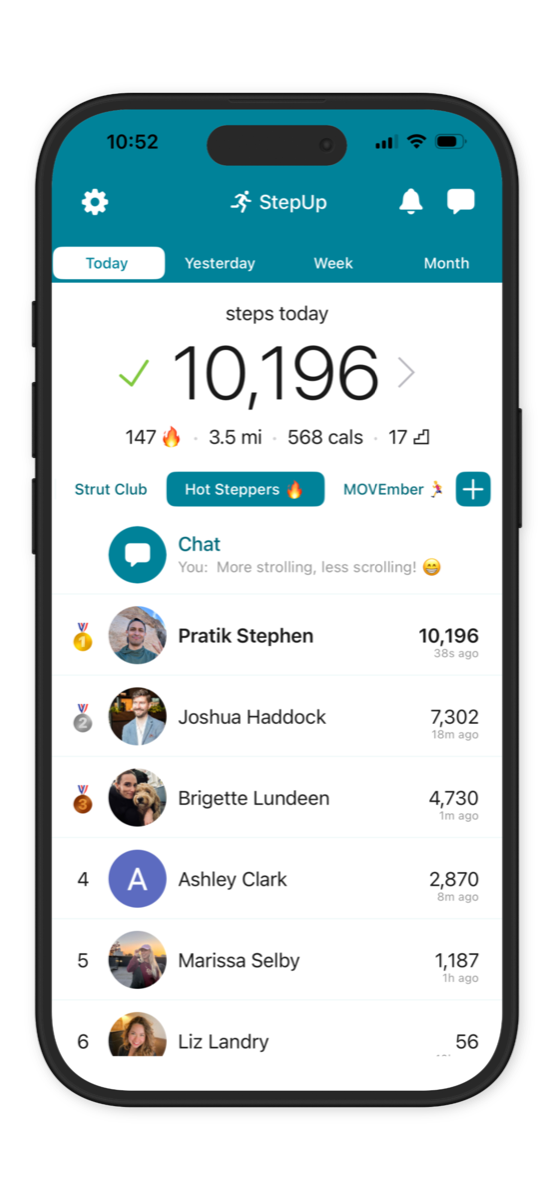
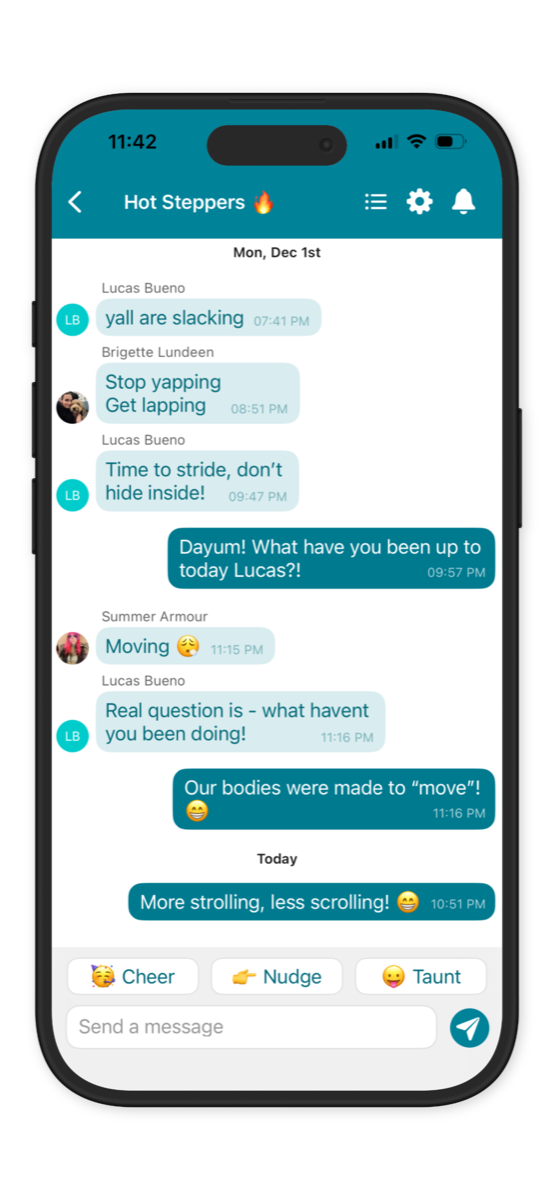
StepUp app group step challenge leaderboard StepUp app group chat screen

Free step challenges

Walking is more fun & motivating with friends, family and colleagues!

See who's in the lead & cheer (or taunt) each other.

Run free step challenges at work, home, school, gym or any community!

Used at work (Amazon, BMW, Google) and school (Yale, Stanford) for healthy team bonding.

Used at gyms, apartments, PTs, doctors, non-profits for community engagement.

More info on running a step challenge

Track your activity

Automatically track daily steps, distance & calories burnt.

StepUp works with just your phone in your pocket.

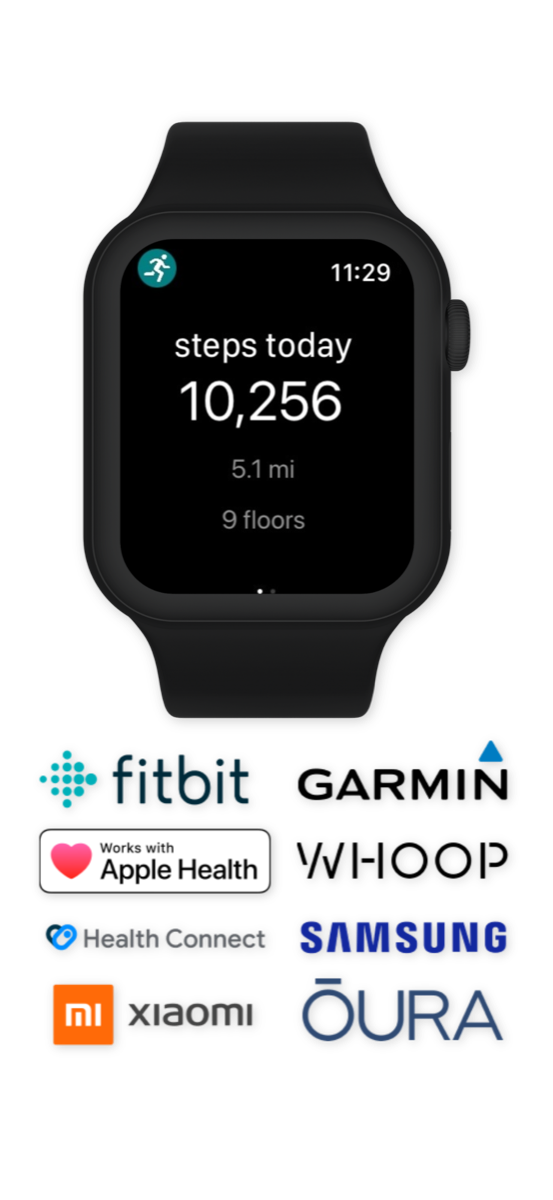
Sync wearables like Apple Watch, Fitbit etc via Apple Health & Android Health Connect.

Keep pace with gamified virtual friends Active Bot & Chill Bot who walk ~10k & ~2k steps a day.

StepUp wearables sync screen
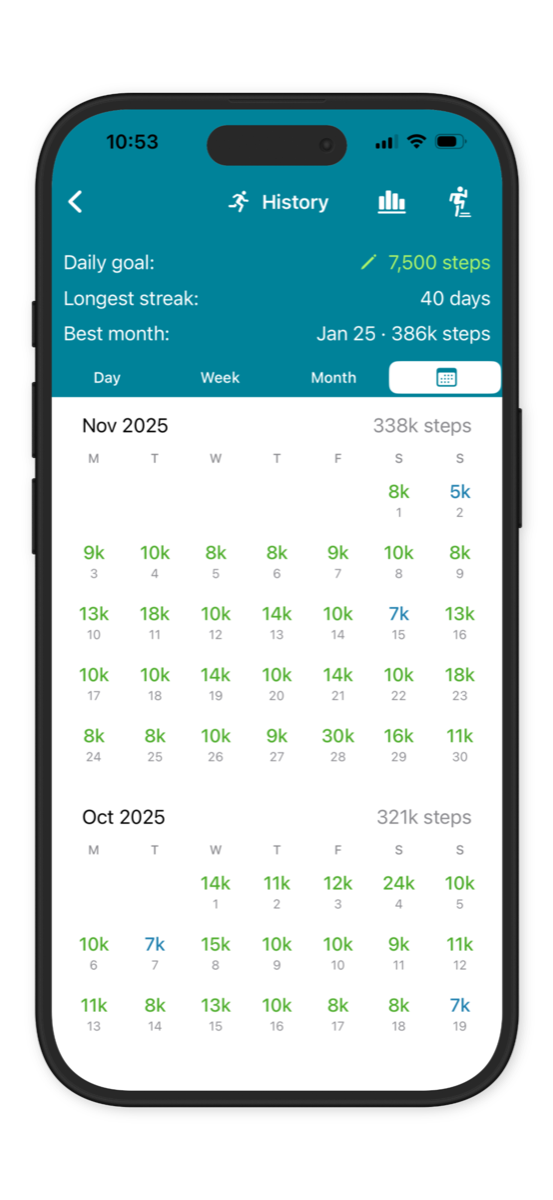
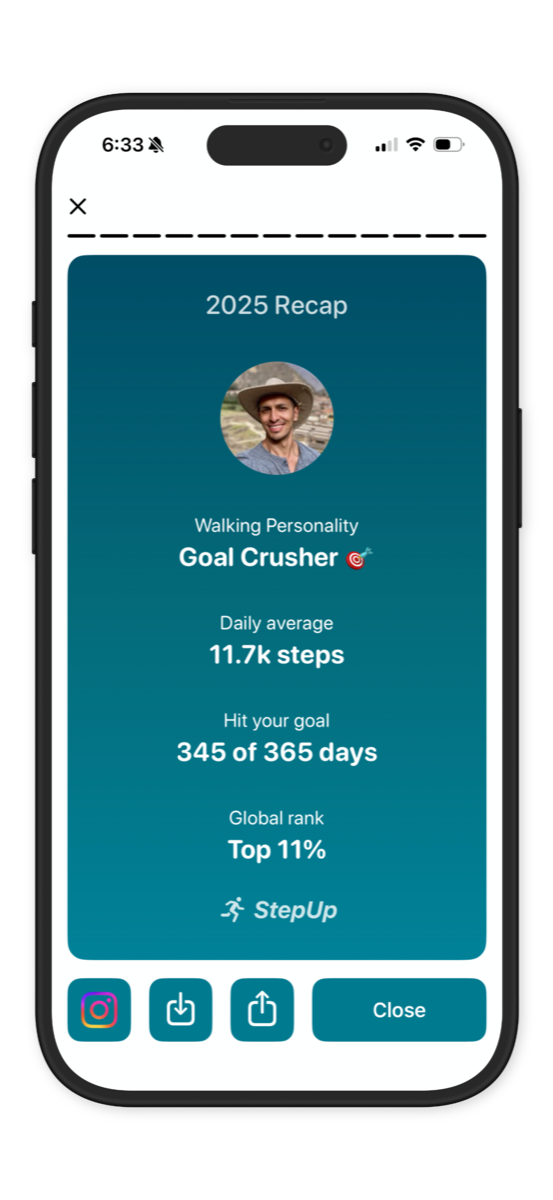
StepUp App Step History Calendar Screen StepUp App Step History Recap Screen

Achieve goals & set records

Set goals. Burn calories. Lose weight. Feel great!

See daily & weekly achievements.

See if you're in the top 100 in the country.

Create streaks and set records.

Download StepUp today. It's FREE!

Download on the App Store
★★★★★ 4.8 · 101K ratings
Get it on Google Play
★★★★★ 4.7 · 29K reviews

Frequently Asked Questions

How do I organise a step challenge on StepUp?

StepUp makes it super simple to host fun, engaging step challenges for FREE!

You can add friends individually or create a group where everyone can see each other on a shared leaderboard. StepUp is used at work (Amazon, BMW, Google), schools (Yale, Stanford), gyms and communities all over the world.

StepUp app group step challenge leaderboard StepUp app group chat screen

How does a group work?
In a group, all members can see each other on the group leaderboards (daily, weekly and monthly). Groups can have up to 1,500 members, and you can create as many groups as you want. Invite people by sharing the group invite link via email/text.

Or join our "StepUp In 2026" group: https://join.thestepupapp.com/nJq00b

How much does it cost?
StepUp is completely FREE. We support our work via minimal ads, in-app purchases to go ad-free and some coffees from generous supporters.

Leaderboards and ongoing challenges
Many groups run ongoing challenges where winners are announced every week or month. By default, groups have daily, weekly, and monthly leaderboards that update automatically. Daily and weekly leaderboards reset every midnight. The monthly leaderboard resets on the 3rd of the month. More guidance and email templates.

NEW: Fixed date range challenges
If you want a challenge with a specific start and end date, admins can set that up from Group Settings (long-press the group name). Members will then see the new custom leaderboard in place of the monthly leaderboard. Min 1 day, max 1 year.

Does the group end after the end date?
No. The group continues as normal. After the end date, the custom leaderboard will still show results for that date range until an admin changes or clears it.

How to "start" a step challenge?
There's nothing to start or stop in the app once the group is created — leaderboards update automatically. Make sure to invite folks at least a week before the intended start date so they have time to install StepUp.

Prizes & kudos
Prizes can be fun — but often recognition and kudos are even more motivating. Consider wholesome alternatives like random draws among everyone who hit a goal (e.g. 10k steps daily), or prizes for most improved (highest % increase).

NEW: Mystery Mode in groups 🎭
In Mystery Mode, today's steps are hidden & only ranks are shown on the leaderboard. Step counts are revealed the next day. Great for work groups. Admins can enable it from Group Settings.

Team vs team step challenge
StepUp doesn't currently show group-vs-group leaderboards directly, but you can create one group per team and compare teams using exported reports.

Exporting group reports
Group admins can export reports for any date range from Settings > Manage Groups (or long-press the group name).

Group chat
Group chat lets members share updates, encourage each other, and enjoy friendly banter. Admins can disable chat or taunts from Group Settings, and remove inappropriate messages or members.

Questions or feedback?
Email us at team@thestepupapp.com. If you face any issues, send feedback logs from StepUp > Settings > Help & Feedback > Send Feedback.
Is StepUp really completely free? (Yes!)
We want StepUp to be accessible to everyone, so it's completely FREE — nothing is behind a paywall. We support our work via ads and optional in-app purchases to go ad-free. You can also buy our team a coffee! ❤️
Is StepUp available across the world? (Yes!)
StepUp is available worldwide for free. It is used at companies (Amazon, BMW, Google, Meta), schools (Yale, Stanford, Rossall), governments (in US, UK, NZ, UAE), communities, gyms, hospitals, conferences, and other organizations all over the world.
Is StepUp GDPR/CCPA compliant? How does it handle my data?
StepUp is GDPR & CCPA compliant and adheres to the latest industry-standard security and privacy practices.
We do NOT share or sell any of your personal or steps activity data with anyone.
You can delete your account and data immediately from StepUp app > Settings > Help & feedback > Delete account.
We use Google's AdMob ad network to display personalised ads with your consent (optional).
See our privacy policy for more information.
How do I sync steps from wearables like Apple Watch, Fitbit, etc?
Sync wearables to StepUp from StepUp > Settings > Sync wearable.

You can sync steps from any wearable via Apple Health on iOS or Health Connect on Android:
Step 1: Sync StepUp with Apple Health/Health Connect from StepUp > Settings > Sync wearable
Step 2: Sync steps from your wearable/app to Apple Health/Health Connect

We also support syncing directly with Fitbit, Garmin or Samsung wearables.

ALL wearables that sync with Apple Health or Android Health Connect are supported, including Apple Watch, Fitbit, Samsung, Garmin, Oura, Whoop, Withings, Xiaomi, Mi, Android Wear, Amazefit, Noise, boAT, OPPO and many more.
How do I sync steps from my wearable to Apple Health?
On iOS, sync steps from any wearable from StepUp > Settings > Sync wearable.

You also need to sync steps from your wearable's app to Apple Health (e.g. Garmin App > Settings > Connected Apps > Apple Health).

Apple Health uses a priority system when reading data from multiple sources. If your wearable data isn't appearing, you might need to adjust priority: Apple Health > Steps > Data Sources & Access > Data Sources > Edit > drag your wearable to the top.
Can I manually add steps? (No)
StepUp works with all iPhone & Android smartphones, and all wearables that sync with Apple Health (iOS) or Android Health Connect. We don't allow manually-added steps to prevent misuse.
How do I add friends in StepUp?
Sign in with Google, Apple or Facebook and send friends your unique invite link. You'll see them in StepUp once they tap your link and accept the invite.

If your friends aren't on StepUp yet, the invite link will take them to the app store to install it. Then they need to sign in and tap your invite link again to add you as a friend.

If you sign in with Facebook, you can automatically see FB friends who also signed in with FB on StepUp. You can still invite other friends via your unique invite link.

You control who can see you in StepUp.

NOTE: We never post or share your steps data anywhere.
Who can see my steps?
By default, no one other than you can see your steps in StepUp. We NEVER post or share your step data anywhere.

If you add friends, only your friends will be able to see you & your steps. If you join a group, other people in the group will be able to see you.

You can privately hide (block) anyone on StepUp — they won't see you and you won't see them.
How do I hide (block) friends in StepUp?
You can privately hide any of your friends in StepUp. You won't see hidden friends, and they won't see you. You can unhide them anytime from StepUp > Settings > Hidden friends.
My friends or groups in StepUp disappeared. Help!
This shouldn't happen, but if it does: check your internet connection, then sign out (Settings > Sign out) and back in. If that doesn't work, email us at team@thestepupapp.com.

Note: If you're missing one specific friend, it's possible they deleted their StepUp account or hid you on StepUp.
What are Active Bot and Chill Bot? Can I hide them?
Active Bot & Chill Bot are virtual friends in StepUp that walk about 10K & 2K steps respectively. Many users like to pace themselves against them. You can hide them by tapping on them and tapping "Hide" in the top right.
Will StepUp drain my battery? (NOT at all!)
StepUp uses your phone's built-in step-sensor/fitness tracker, which works in the background without impacting battery. Since StepUp doesn't use your GPS location, it is very battery friendly! :)
How do I delete my StepUp account & data?
You can delete your account and data immediately from StepUp app > Settings > Help & feedback > Delete account.
Who built StepUp?
Pratik wanted to use a step tracking app that was social, engaging & fun to encourage his mom and siblings to be more active — but he couldn't find one. So he and his team have been building StepUp with a mission to make being active more fun & social.
I love StepUp — how can I support you?
Thank you for joining our mission to make being active more fun & social! 🙌
We'd love it if you invited your friends, family and colleagues to join our movement! Reviews on the App Store & Google Play Store also help us reach more people.
You can also buy us a coffee if you'd like! ❤️